

Salesflare
How do I add team members to an account?
How can I be added to the team of an account?
 Jeroen CorthoutLast updated:
 Any admin on your team can add themselves and other team members to existing accounts.
Here is how:
Go to Accounts.
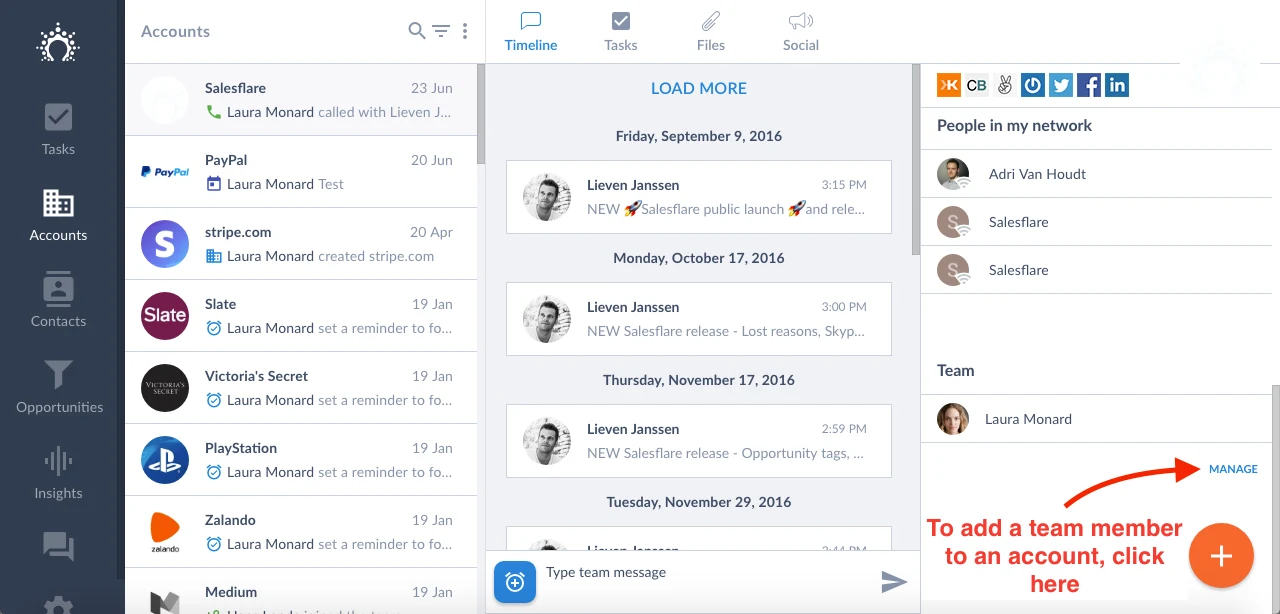
Select the account you want to add the team member to.
Click on the "Manage" tab below "Team" on the account to select the team member.
Want to add a team member to all accounts at once? Here's how.
More questions? Let us know on the chat!