# Can I insert a clickable link on an image?
Here's how to insert a clickable link on a workflow image or email signature 🔗
In order to add a clickable link to an image on your email or workflows or your signature, you will need to add code around the image code in HTML as follows:
```
THEIMAGECODE
```
Here is a step by step guide on how to do it:
**Step 1** : Add the image to your workflow email, individual email, or email signature.
**Step 2** : Click on "View HTML" to get to the HTML code.
**Step 3** : If you look in the HTML, you will see a code that represents the image which looks like this:
```
 ```
You'll need to wrap this **\** tag in an **\** tag to make it clickable.
Here's what the code will look like:
```
```
Replace "[https://example.com](https://example.com/)" with the URL that you want to link to.
Here's an animated gif for your reference:
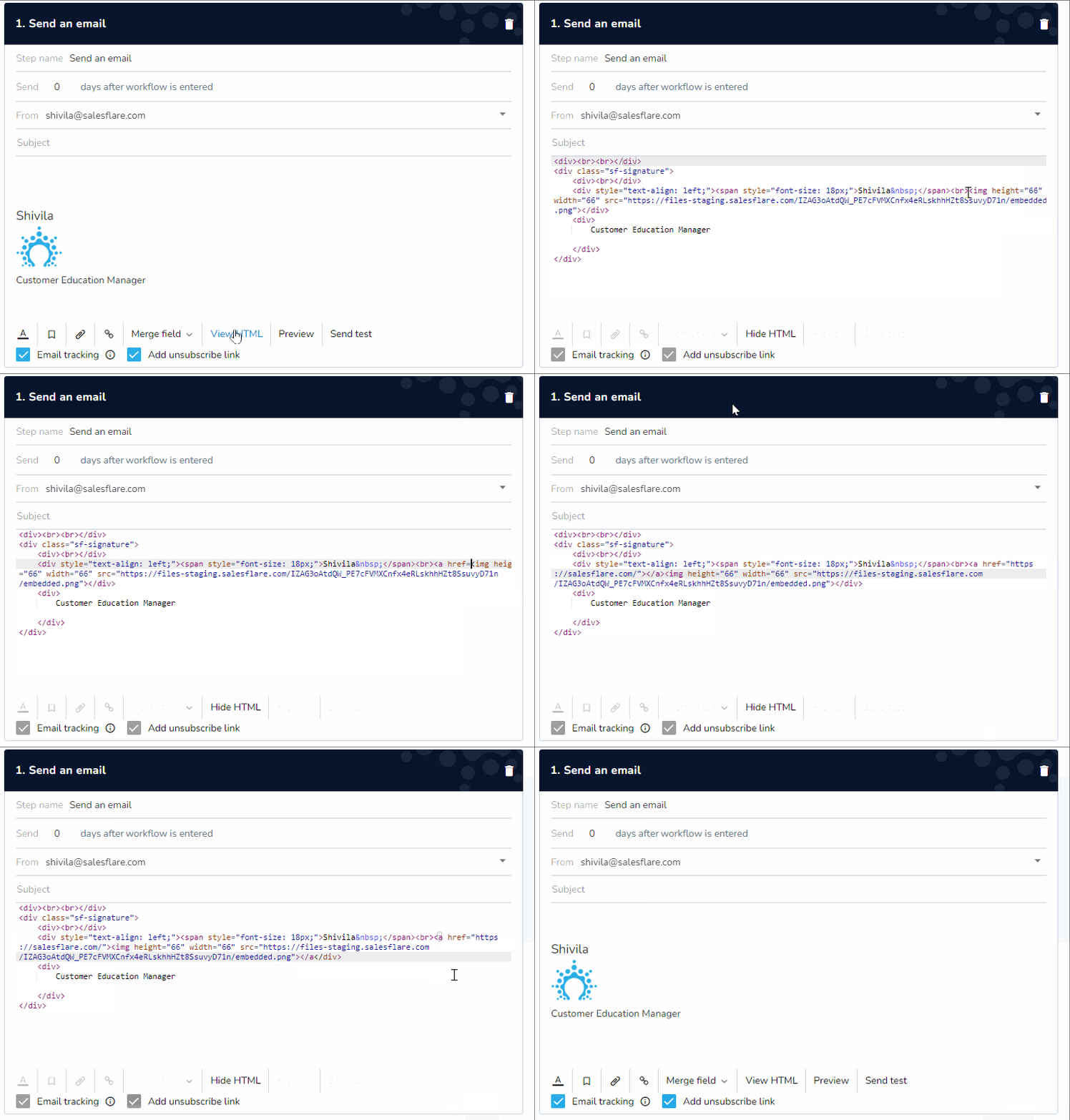
**Step 4**: Click "Hide HTML" to switch back to the email itself.
If you have any questions, don't hesitate to reach out on the chat!
```
You'll need to wrap this **\** tag in an **\** tag to make it clickable.
Here's what the code will look like:
```
```
Replace "[https://example.com](https://example.com/)" with the URL that you want to link to.
Here's an animated gif for your reference:

**Step 4**: Click "Hide HTML" to switch back to the email itself.
If you have any questions, don't hesitate to reach out on the chat!