# How do tasks work?
Can I assign tasks to others? Where do tasks appear?
# Where can I find my tasks?
Tasks are split up into the **Today, Upcoming, and Completed tabs** on the Tasks page.
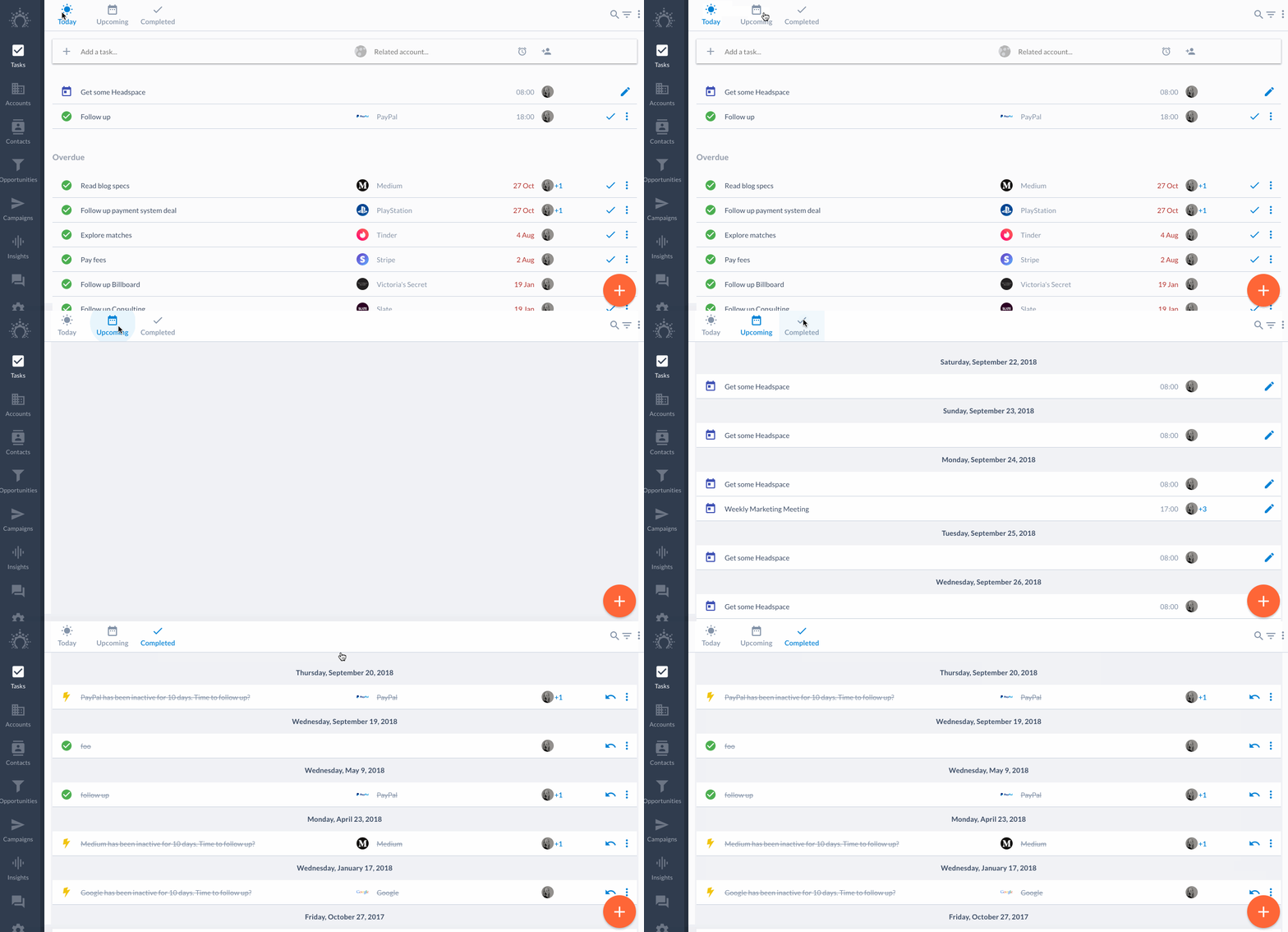
Here's what you can find in these three tabs:
1. The **Today** tab is for tasks that are due today. Think of it as today's to-do list.
2. The **Upcoming** tab is for tasks that are due at a later date. A little peak into your future.
3. The **Completed** tab is for tasks that you've finished. A place to go when in need of a reminder that you're killing it.
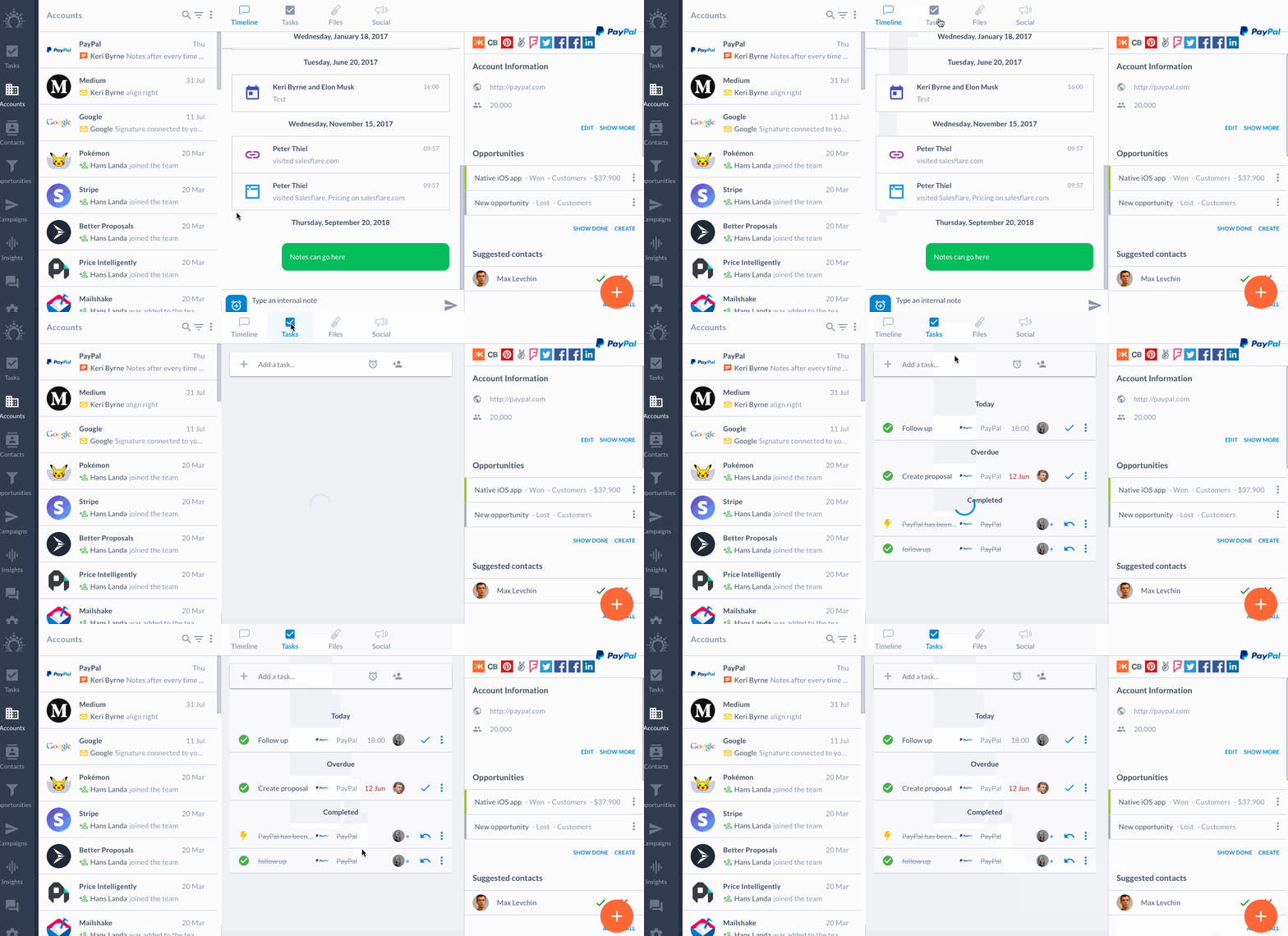
If a task is related to an account, you'll find it on the 'Tasks' tab of the account timeline as well.
* * *
## How do I create a task?
Create a task in three ways.
### 1\. The top of the tasks page
You can fill out all fields or just type and hit enter.
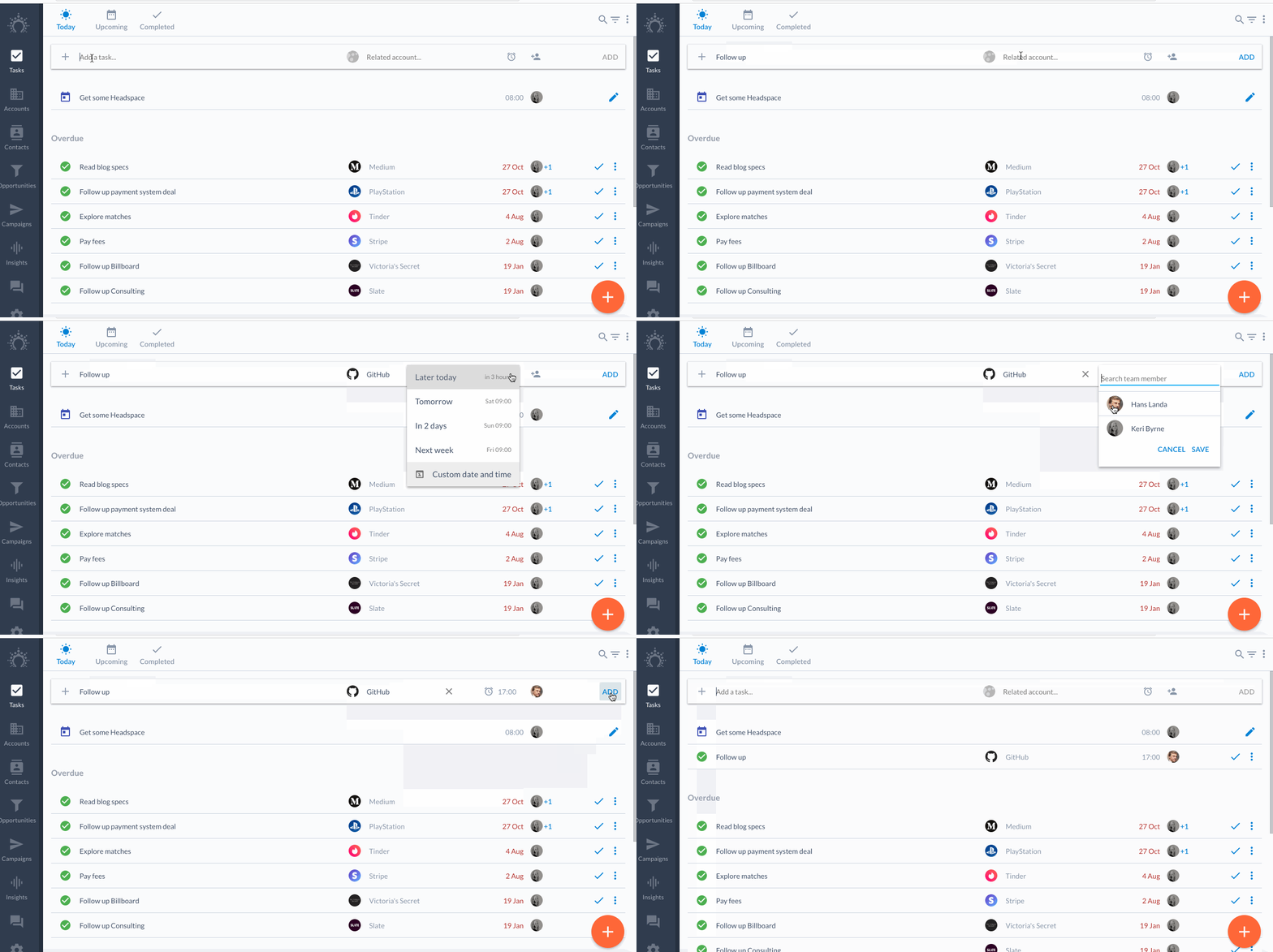
If no reminder date is set, tasks always appear on Today's task screen.
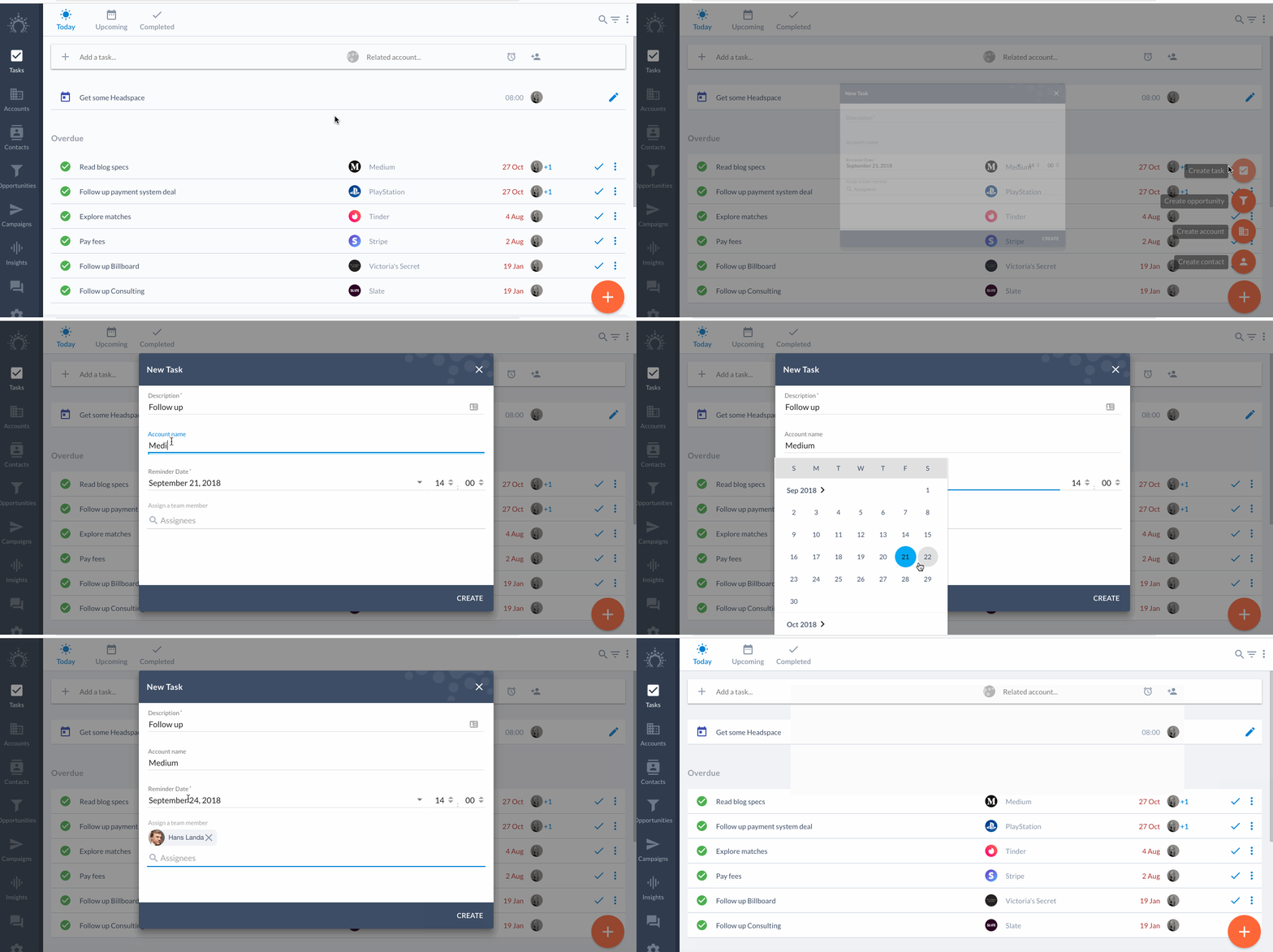
### 2\. The big blue plus sign
Use the big blue plus sign in the bottom right corner of the Tasks, Accounts, Contacts or Opportunities page.
### 3\. The account's tasks tab
To create a task automatically linked to an account, head to the 'Tasks' tab of the account timeline.
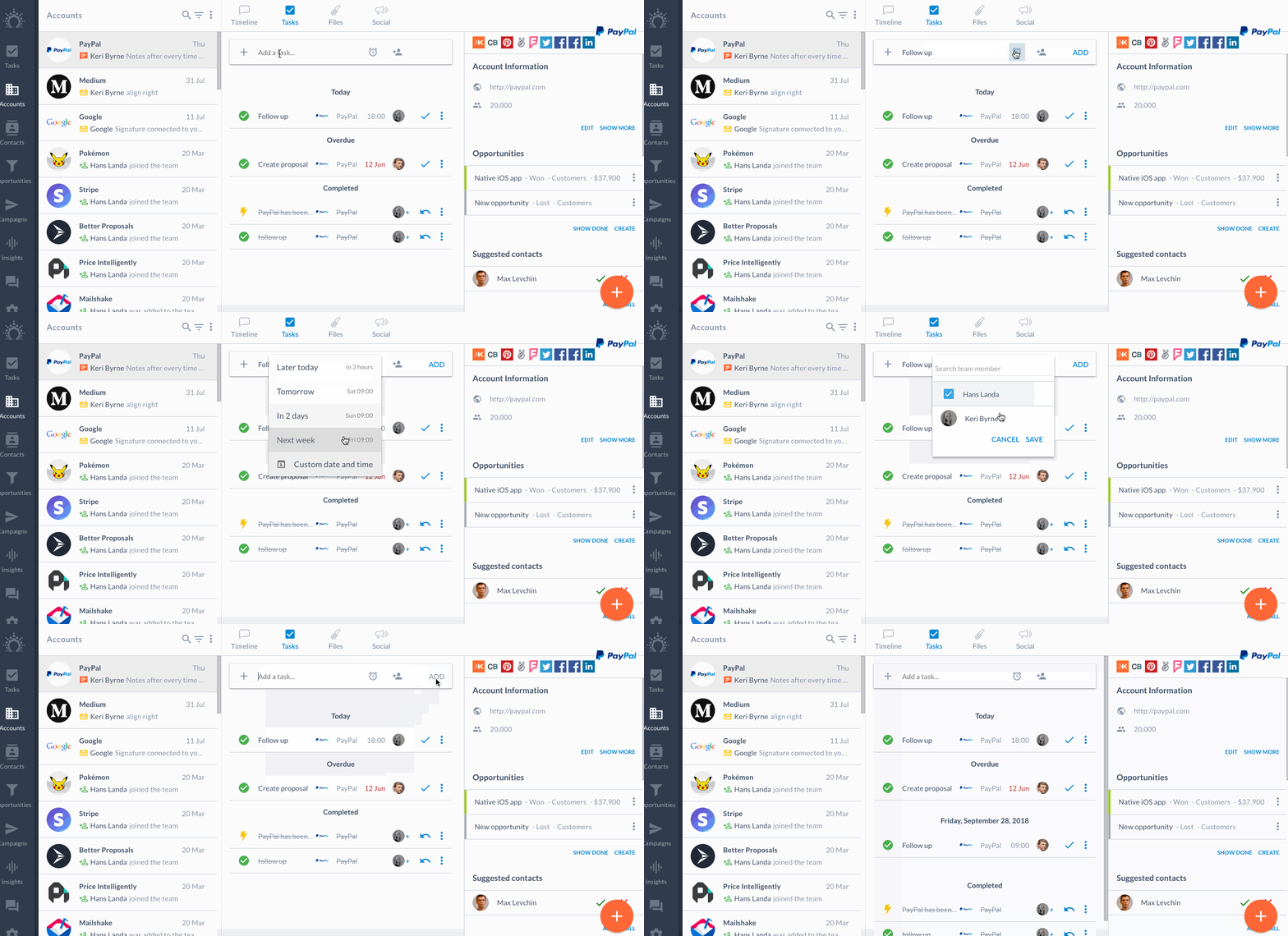
The task will appear on your Tasks page as well.
* * *
## How do I assign a task?
When you create a task, press the assignee icon to the right of the date icon.
Want to reassign later? Hit the 3 dots on the right of the task to edit the assignee.
Trying to assign/un-assign tasks in bulk? Select the tasks and use the 3 dot menu in the top right corner. Read more on tasks and bulk actions [here](/en/articles/2352424-can-i-snooze-tasks-in-bulk).
* * *
## Can I search for tasks?
You can search, filter and export your tasks using the respective icons in the top right.
* * *
Any questions? Ping us on the chat! 👊