# Can I snooze tasks in bulk?
How do I complete tasks in bulk? Can I bulk delete them?
Manage your tasks list with ease using the bulk actions.
How do they work?
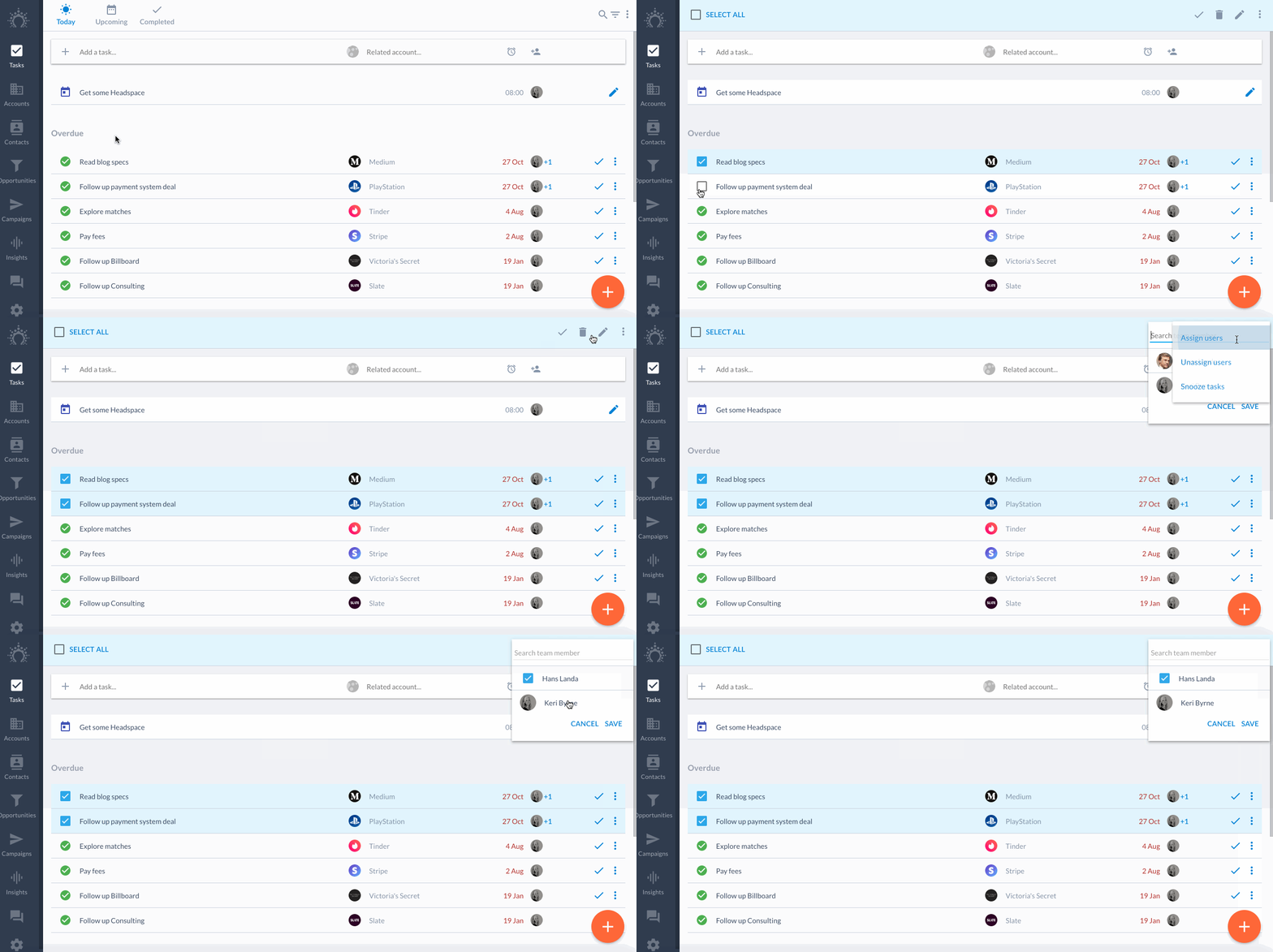
Click on one task's icon to **enter bulk mode**. Select the tasks you want.
**Select/de-select all** tasks by **clicking/double-clicking** the 'Select all' button at the top left.
You can do the following actions to tasks in bulk:
* bulk snooze
* bulk delete
* bulk complete
* bulk edit account/description
* bulk assign/un-assign
Here's how.
## Bulk snooze tasks
Some tasks are bound to end up on the back burner.
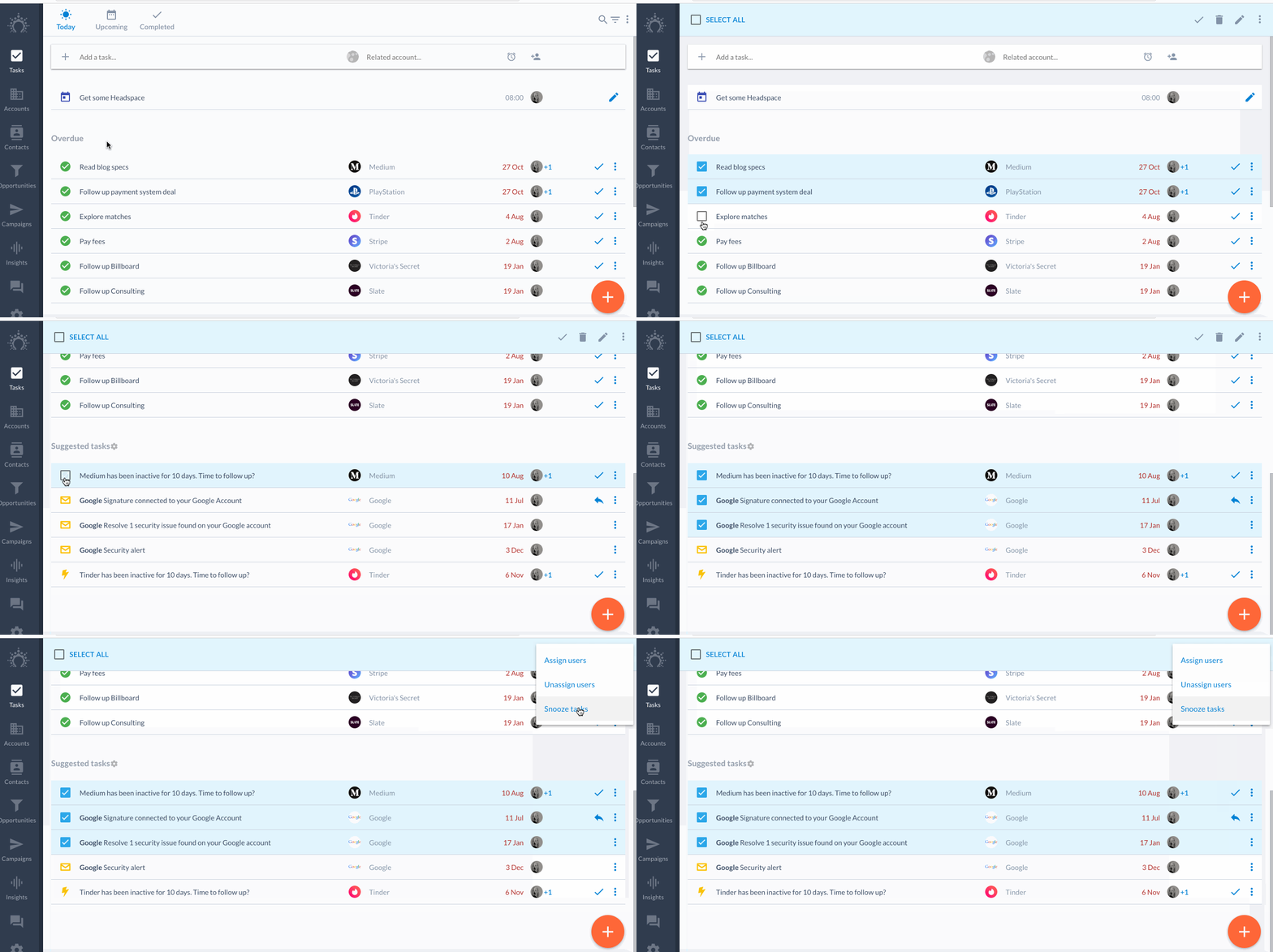
Bulk snooze them by using the **3 dot menu** in the top right corner.
# Bulk delete tasks
Sometimes you just need to delete and start fresh.
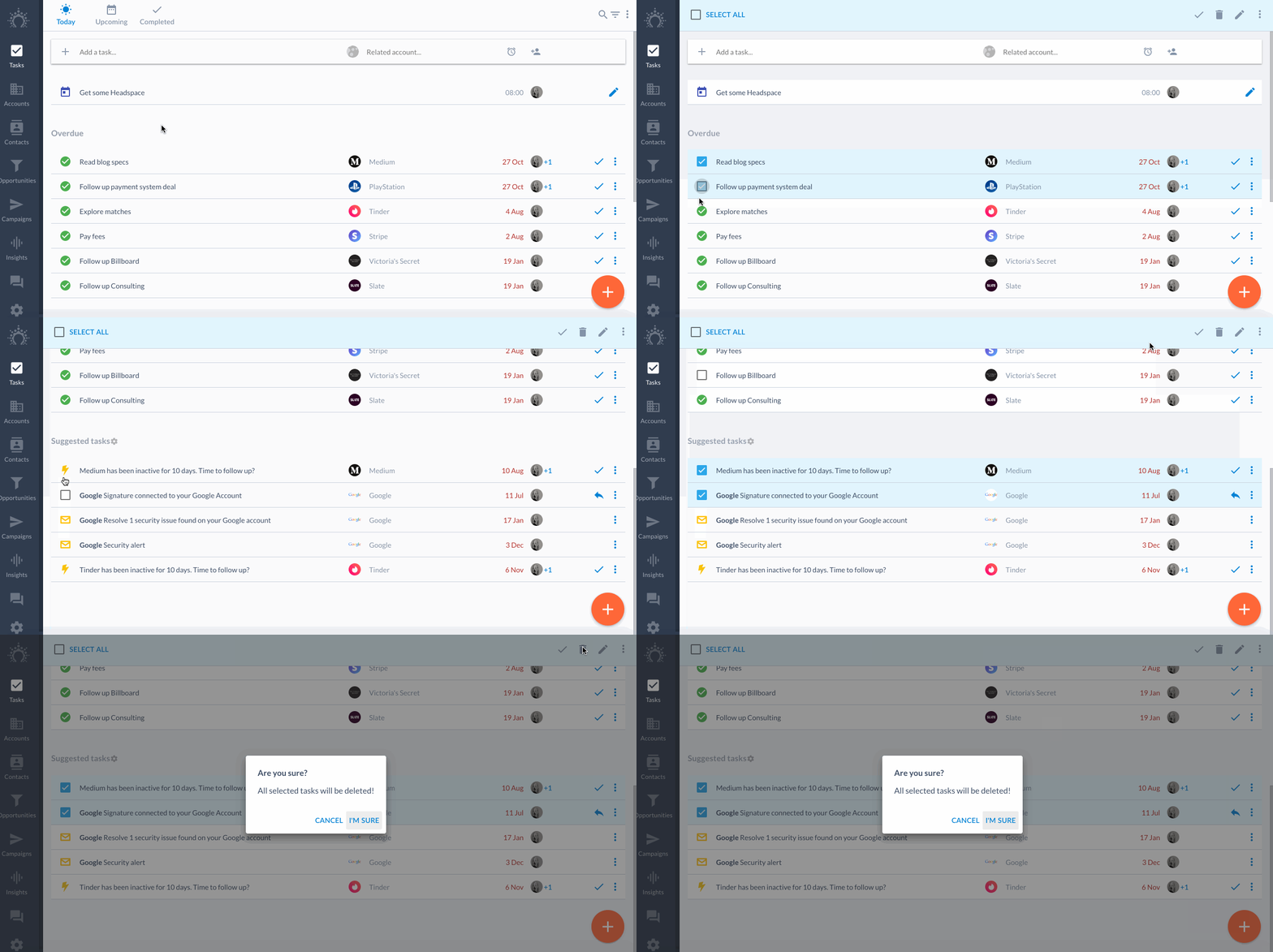
Bulk delete tasks by clicking the task icons and hitting the **trashcan** at the top.
## Bulk complete tasks
Checked a bunch of tasks off the to-do list but didn't complete them as you went?
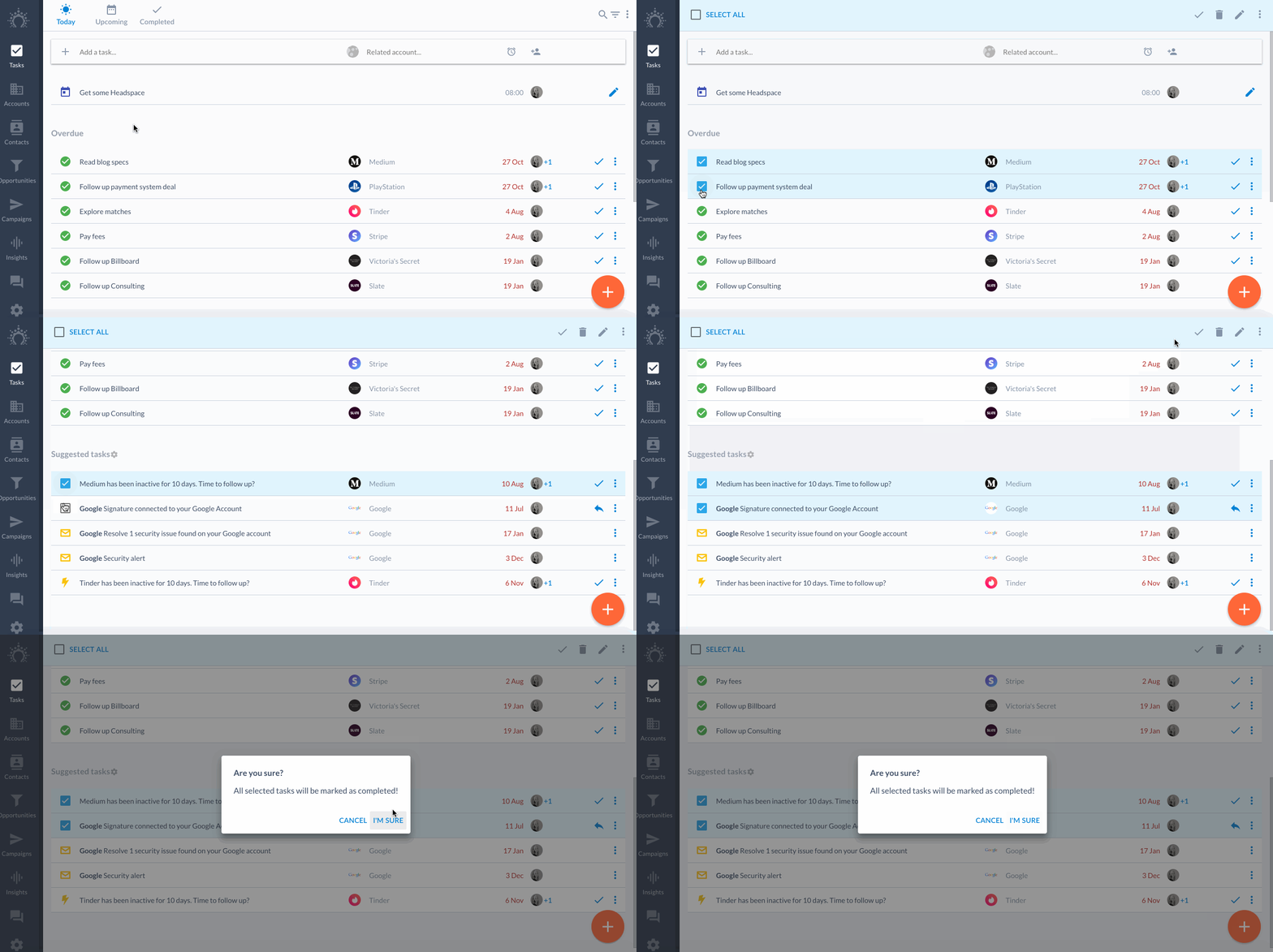
Bulk complete tasks by clicking the task icons and using the **checkmark** at the top.
## Bulk edit tasks
Want to bulk add tasks to an account or change a few task descriptions?
Click on the task icons and hit the **pencil icon** at the top right.
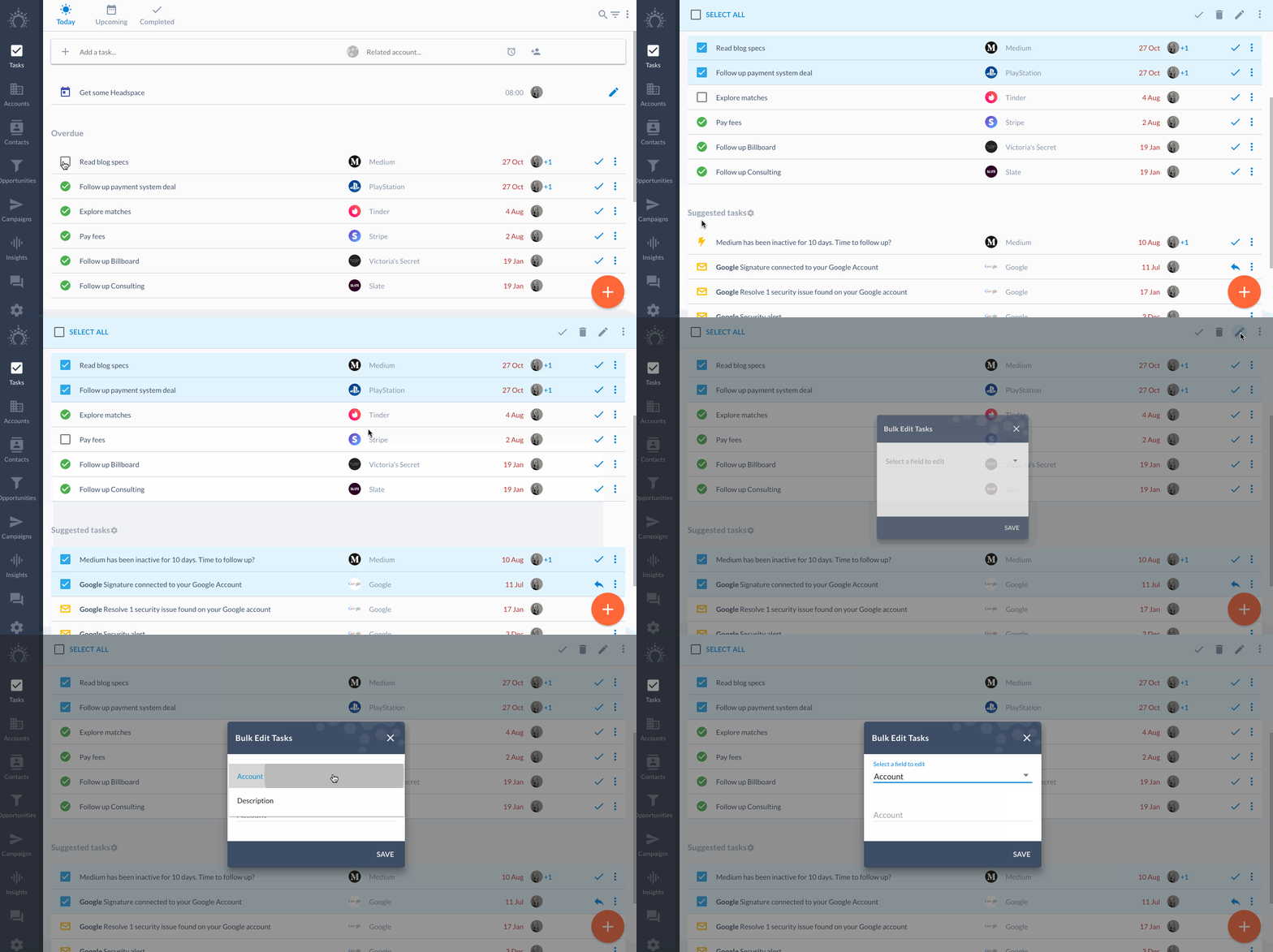
Select the 'Account' field to edit the account related to those tasks.
Choose the 'Description' field to change those tasks' description.
## Bulk assign/un-assign tasks
Got a lot on your plate or need to delegate tasks to someone else?
Change the assignee of multiple tasks at once using the **3 dot menu** at the top right.
And voilà!
Your tasks list is all cleaned up.