# Can I make different types of custom fields?
What kinds of custom fields can I make?
Everyone has custom data.
Salesflare lets you [create custom fields](/en/articles/952920-can-i-create-custom-fields) with a selection of data types.
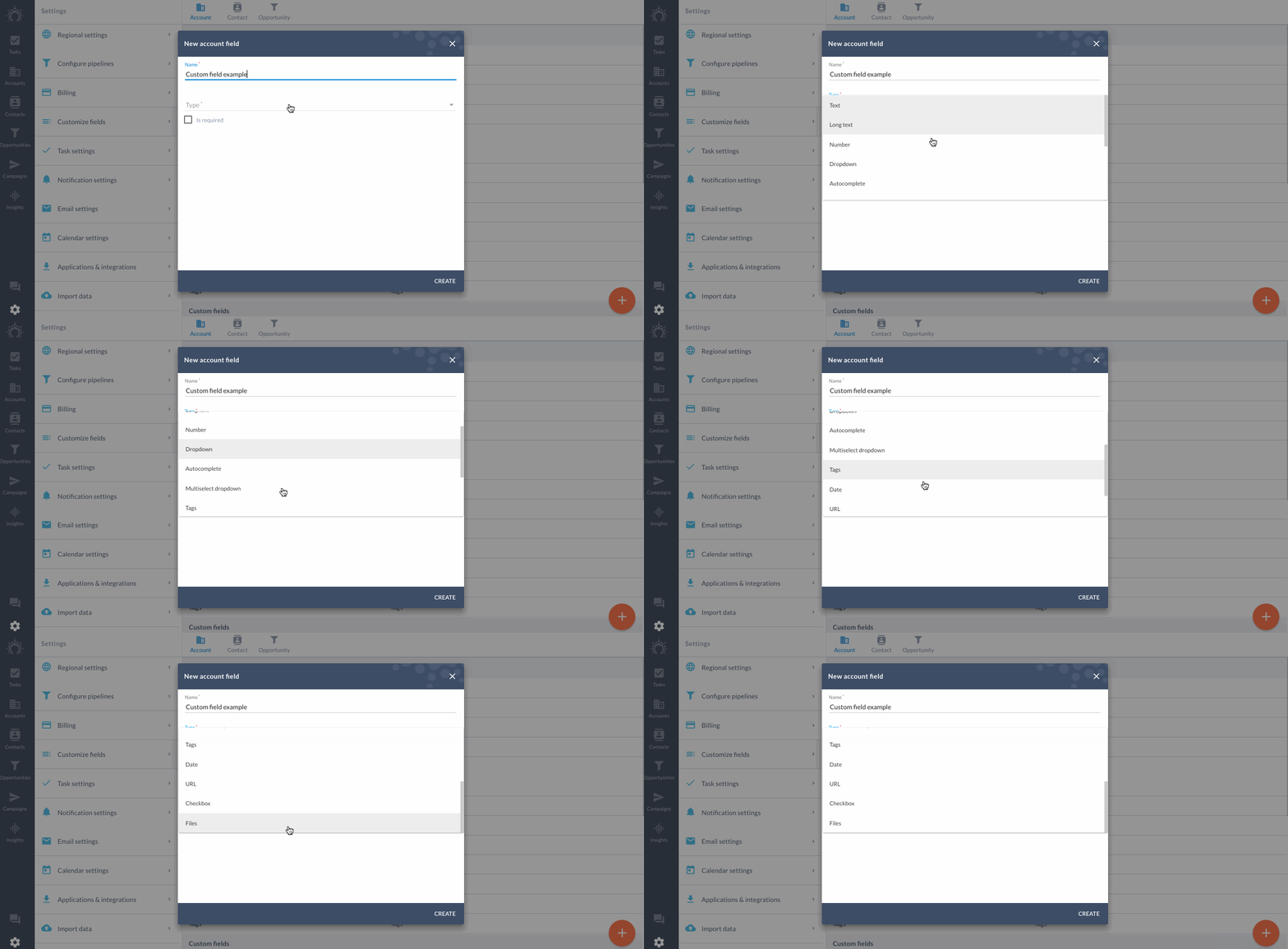
Here's what they mean.
## Text
Max 500 characters.
Or about 75 words. Best for info that is short & sweet.
## Long text
Max 21,844 characters. That's a lot.
This field comes in handy when including large pieces of information, like notes on an opportunity, for example.
## Number
For fields that involve numbers.
Like if you want to include the **commission made** on each opportunity. Or note down the **NPS score** a user submitted. Feel free to set a **min and max range**.
## Dropdown
Create a **fixed** **set of options** that you can **see and select from**. This is helpful for longer lists that you don't have to memorize and can keep organized across your sales team. Like which production facility referred a customer, for example.
## Multi-select dropdown
For those times when you need to select more option than one.
## Autocomplete
For when you start typing and the field finishes your sentence.
Create different options that autocomplete. This becomes useful when you have a long list of options that may overcrowd a dropdown menu.
Like for commonly used responses to "What is the main reason you like our product?"
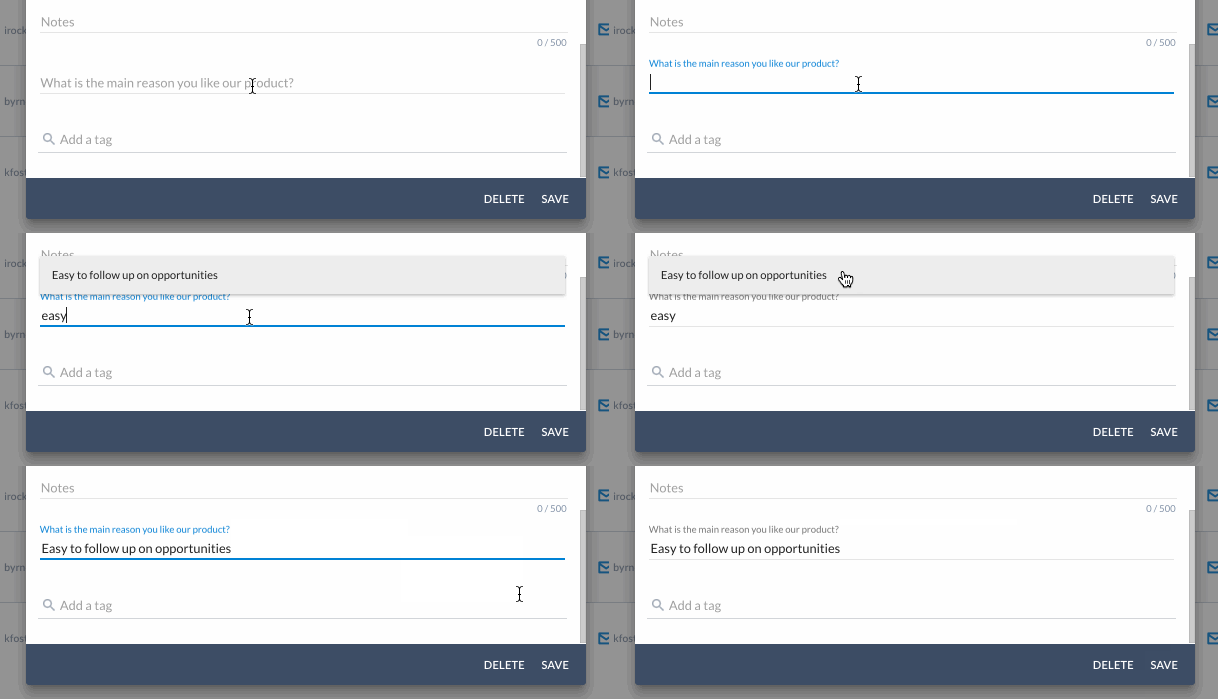
Select from the predefined options as you type or add new options on the fly from the field itself.
## Tags
For ultimate **control over categorizing** your data.
Like when you want to quickly **define a contact's interests**. Make a dedicated tags field with **predefined options**.
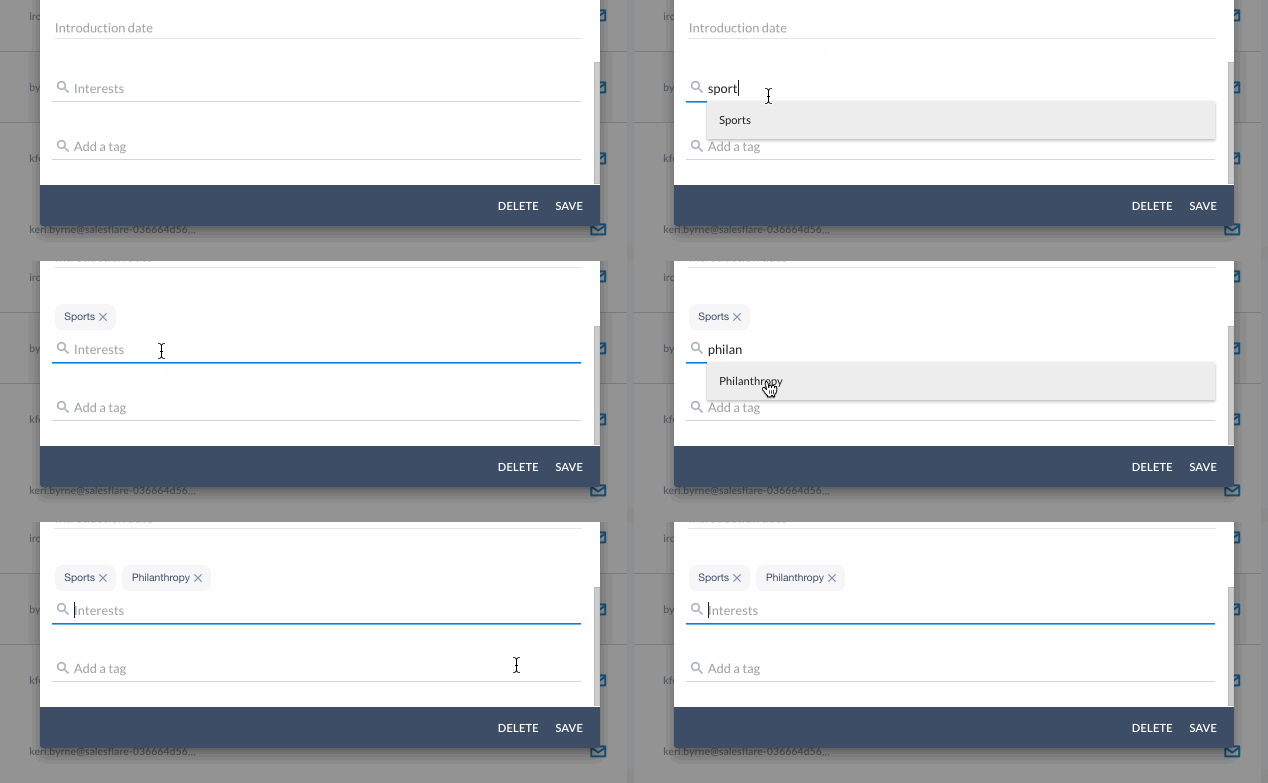
Your tag isn't in the list of predefined options?
Add new tags from the field itself.
Just type and hit enter.
## Date
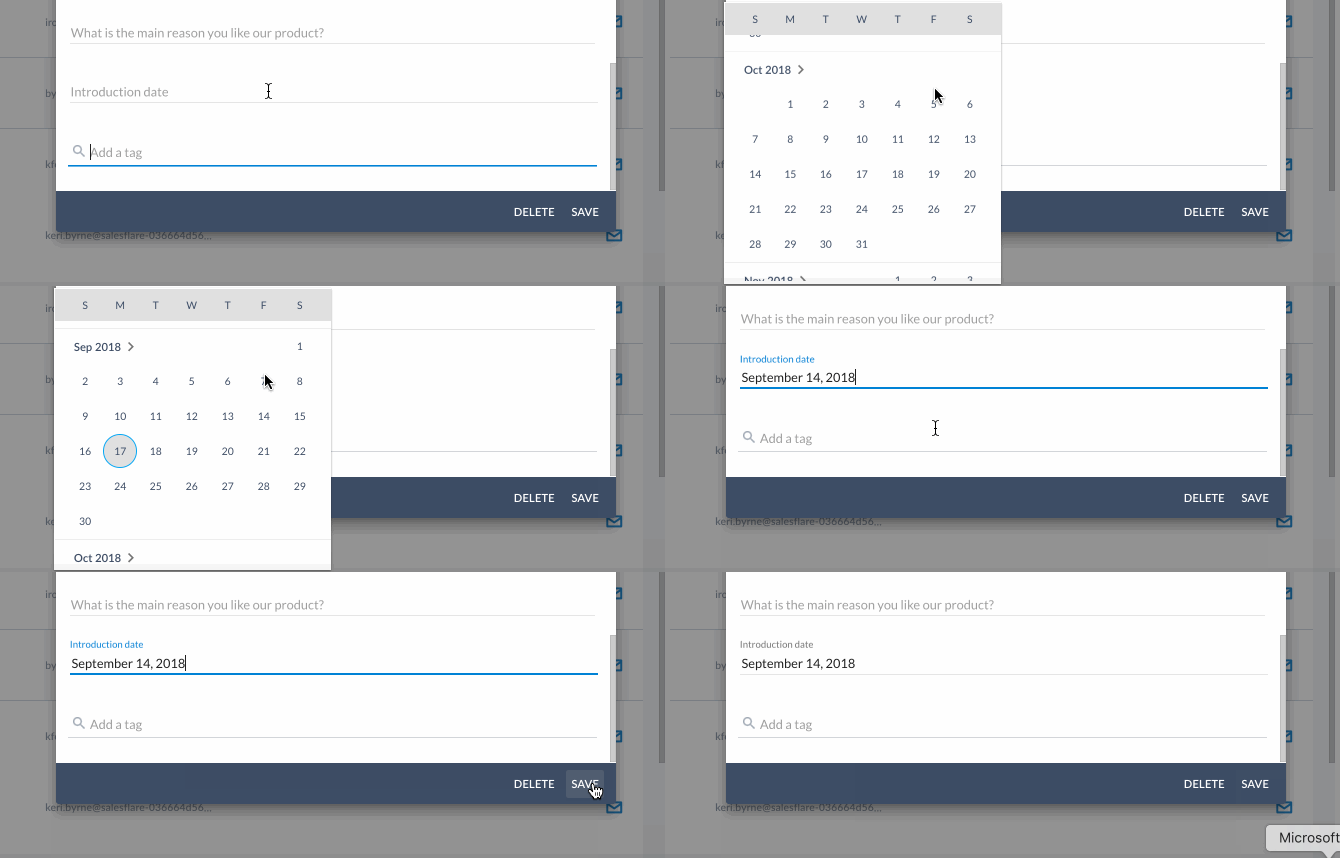
For when you prefer a **date picker** instead of typing out a date.
Feel free to **set a date range**.
This field type is useful for filtering between date ranges, too.
## URL
For hyperlinks.
Like a Google Drive URL that **opens upon click**. Goodbye copy/paste.
## Checkbox
For when you need to confirm with a check.
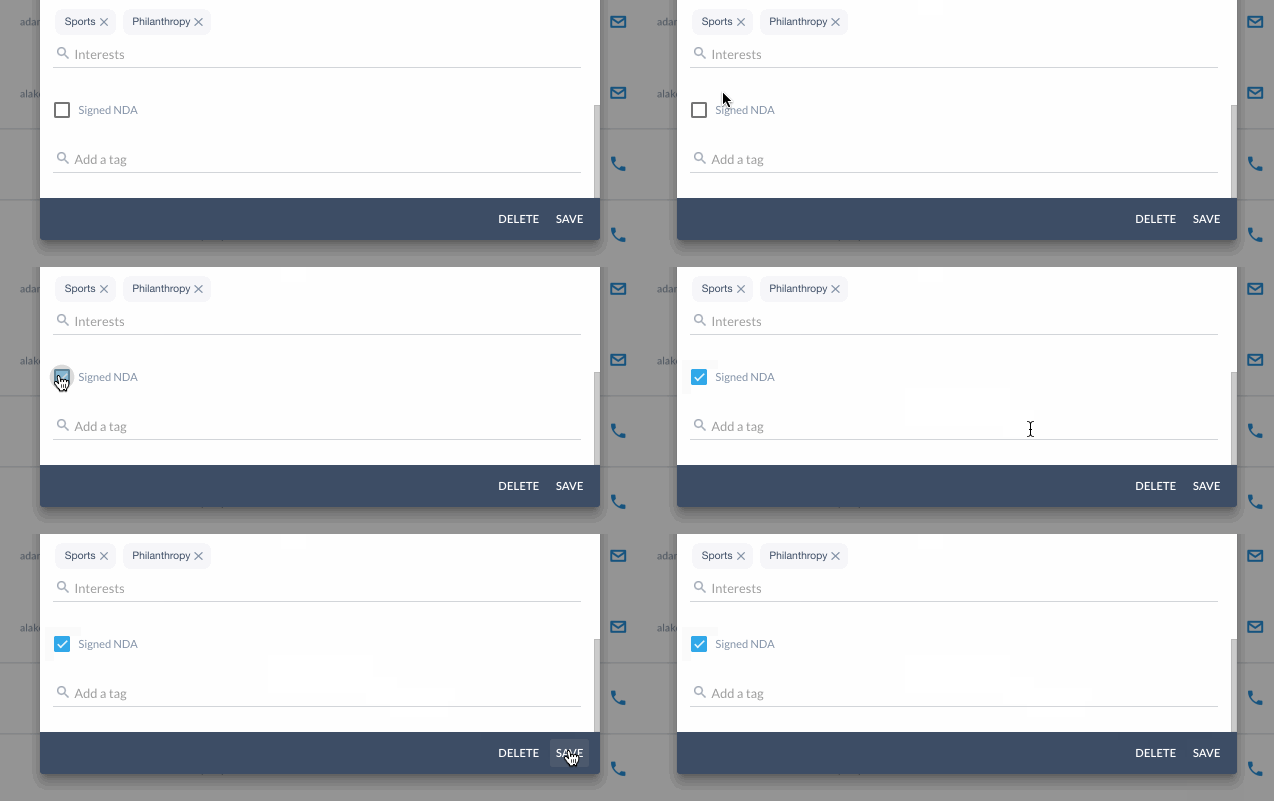
## Tri-State Checkbox
This is essentially a checkbox that knows whether it has been filled out already or not. A normal checkbox is false by default, while a tri-state checkbox can be either unknown, true, or false.

## Account
To link to one account.
Possible use cases:
* "parent account"/"branch of"/"department of" an account
* "reseller" involved on an opportunity
## Accounts
To link to multiple accounts.
Possible use cases:
* "suppliers" related to an opportunity
* "customers" or "affiliates" related to an account
* "child accounts"/"subaccounts" of an account
## Contact
To link to one contact.
Possible use cases:
* "main contact" for an account or opportunity
* "coach" for an opportunity (role from strategic selling framework)
* "manager" of a contact
## Contacts
To link to multiple contacts.
Possible use cases:
* "involved contacts" or "stakeholders" with an opportunity
* "gatekeepers", "decision makers", "influencers", "product users", and "blockers" for an opportunity (roles from strategic selling and similar frameworks)
## User
To link to one user.
Possible use cases:
* "owner" of a contact or account
* "project manager" for an opportunity
## Users
To link to multiple users.
Possible use cases:
* "team" for an opportunity (already an existing concept on accounts)
## Files
And last but not least, this handy custom field lets you **upload files to contacts and opportunities**.
**Attach your proposals** to opportunities with ease.
**_Note_**_: Email attachments are automatically pulled into account timelines under the 'Files' tab. You can manually upload files to accounts there as well._
Double check which field type you've assigned by looking to the right of the field name in [Settings \> Customize fields](https://app.salesflare.com/#/settings/customfields/account).
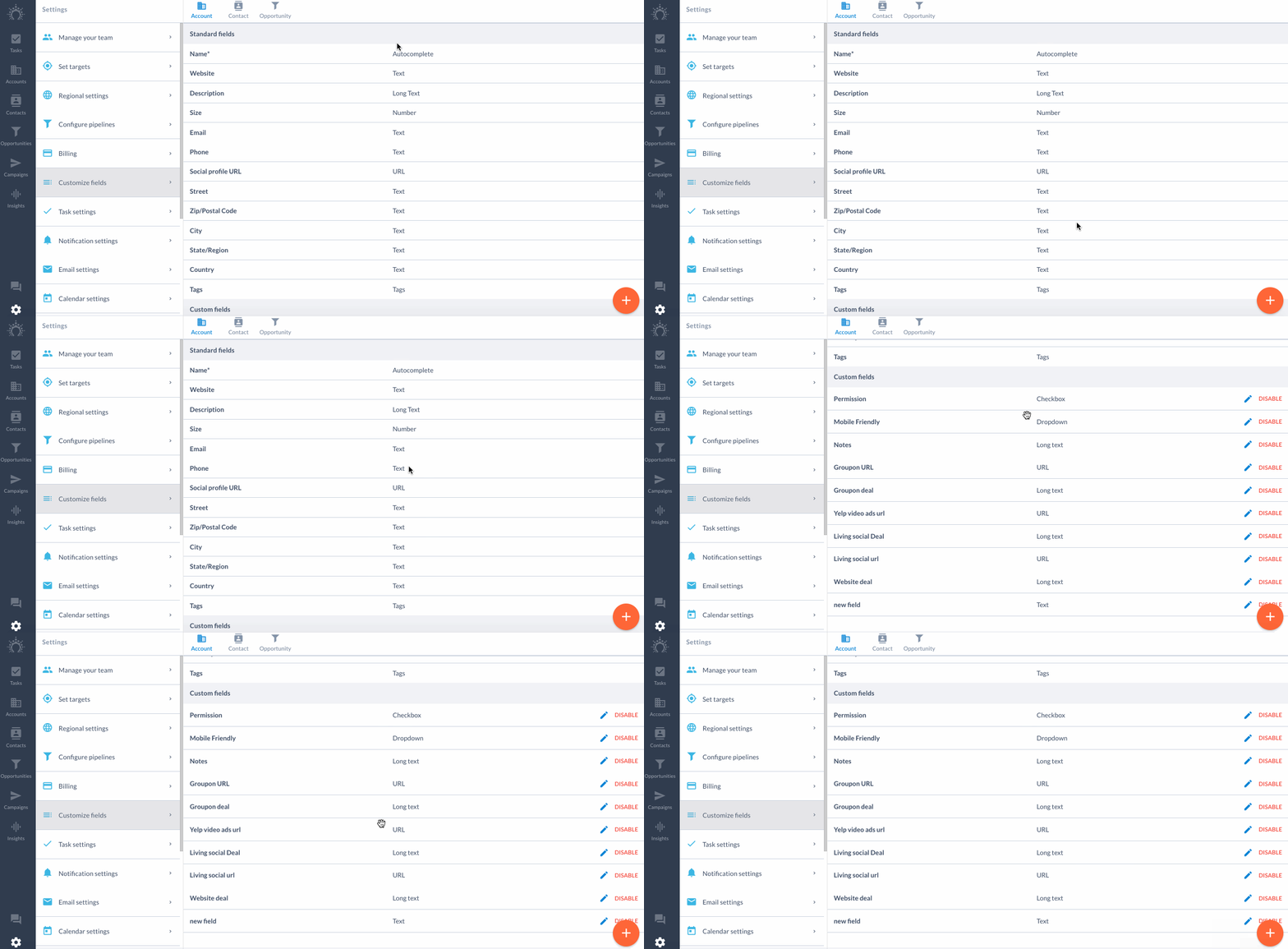
Click between the **Account, Contact and Opportunity tabs** at the top to find your custom fields per entity.