# What additional permissions do admins & managers have?
An overview of the built-in rights of admins and managers
When adding users to your team in Salesflare, admins have access to different features than managers, team members, and viewers.
## Admin Rights ⚙️
As admin, you can:
**[Manage your team](https://app.salesflare.com/#/settings/team)**
* _Invite colleagues_
* _Enable/disable users_
* _Change the roles of users_
* _Group users_
* _Change team name_
**[Set Permissions](https://app.salesflare.com/#/settings/permissions)**
* _Restrict what certain groups/users can view/edit/delete_
**[Set regional team settings](https://app.salesflare.com/#/settings/regional)**
* _Set the timezone and currency of the team_
**[Set targets](https://app.salesflare.com/#/settings/targets)**
* _Set yearly targets per sales rep and per pipeline_
**[Configure pipelines](https://app.salesflare.com/#/settings/stage)**
* _Create/delete/edit pipelines_
* _Add/remove/edit stages_
**[Update Billing & Usage](https://app.salesflare.com/#/settings/billing/overview)**
* _Change subscription plan and frequency_
* _Link up a (different) credit card_
* _Add invoicing details_
* _Download invoices_
**[Customize fields](https://app.salesflare.com/#/settings/customfields/account)**
* _Hide/show predefined fields_
* _Create/edit/delete/hide custom fields_
## What else can admins do?
Admins can add themselves to accounts they aren’t a part of.
They can delete anything in the team, including opportunities they're not owners of.
They can change the owner of opportunities they aren't owners of.
## How do I become admin?
Any admin can make other users admins.
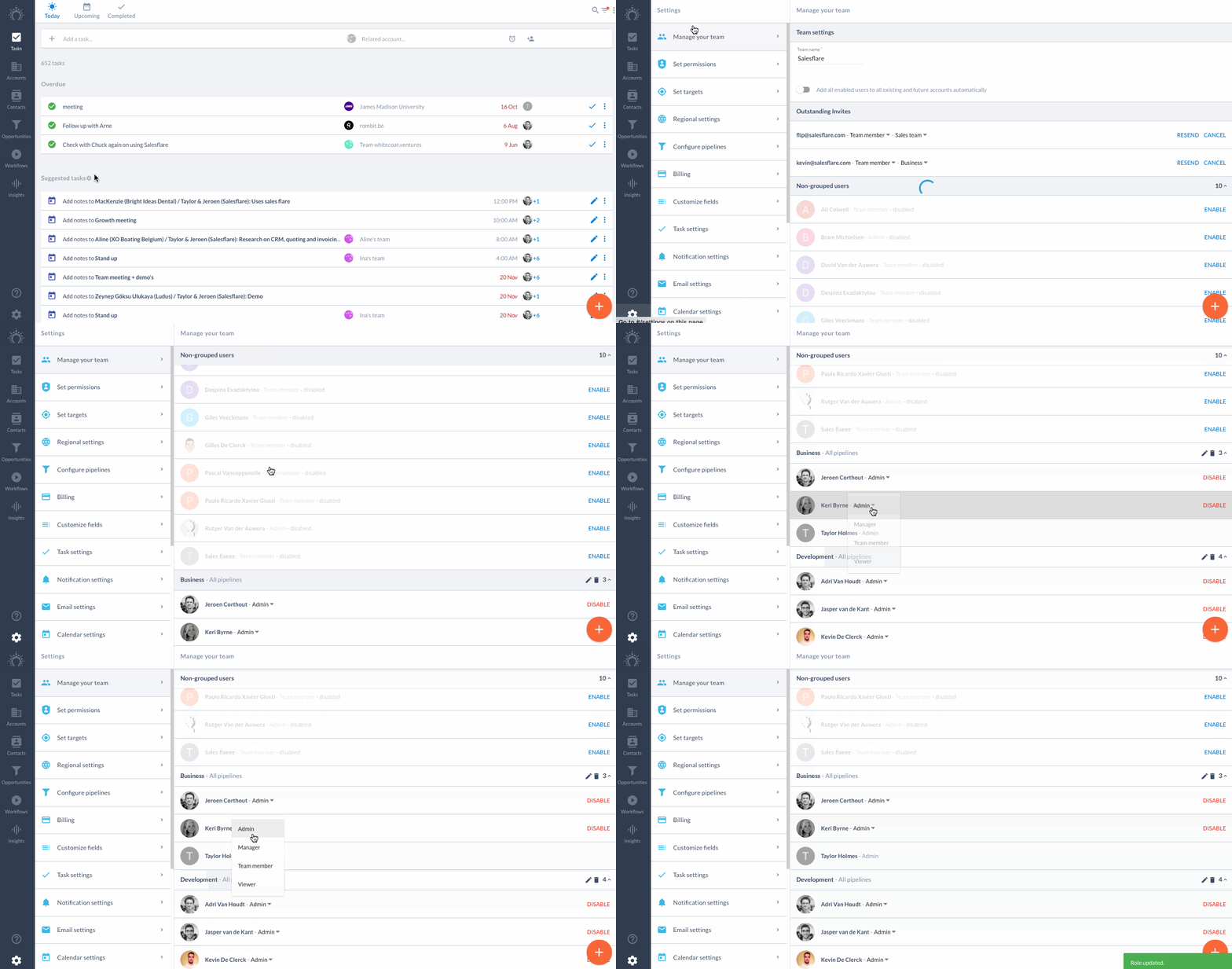
Just ask one on your team to go to [Settings \> Manage your team](https://app.salesflare.com/#/settings/team) and press the dropdown arrow to assign you the admin role.
## Manager Rights ⚙️
Managers lead the [group](/en/articles/2470975-what-are-user-groups-for) of users that they are a part of. This role works well for sales managers who oversee separate parts of the company’s sales team. For example, when working in different geographies or with different business units, it can be useful to have managers in Salesflare to oversee these different groups.
As manager, you can:
**[Set targets](https://app.salesflare.com/#/settings/targets)**
* _Set yearly targets for the group per pipeline and per sales rep_
**[Configure pipelines](https://app.salesflare.com/#/settings/stage)**
* _Configure pipelines belonging to the group_
* _Delete and edit opportunities belonging to the group that they are not the owner of_
**Other permissions**
* Give anyone access to an account by adding that person to the account’s team.
## How do I become a manager?
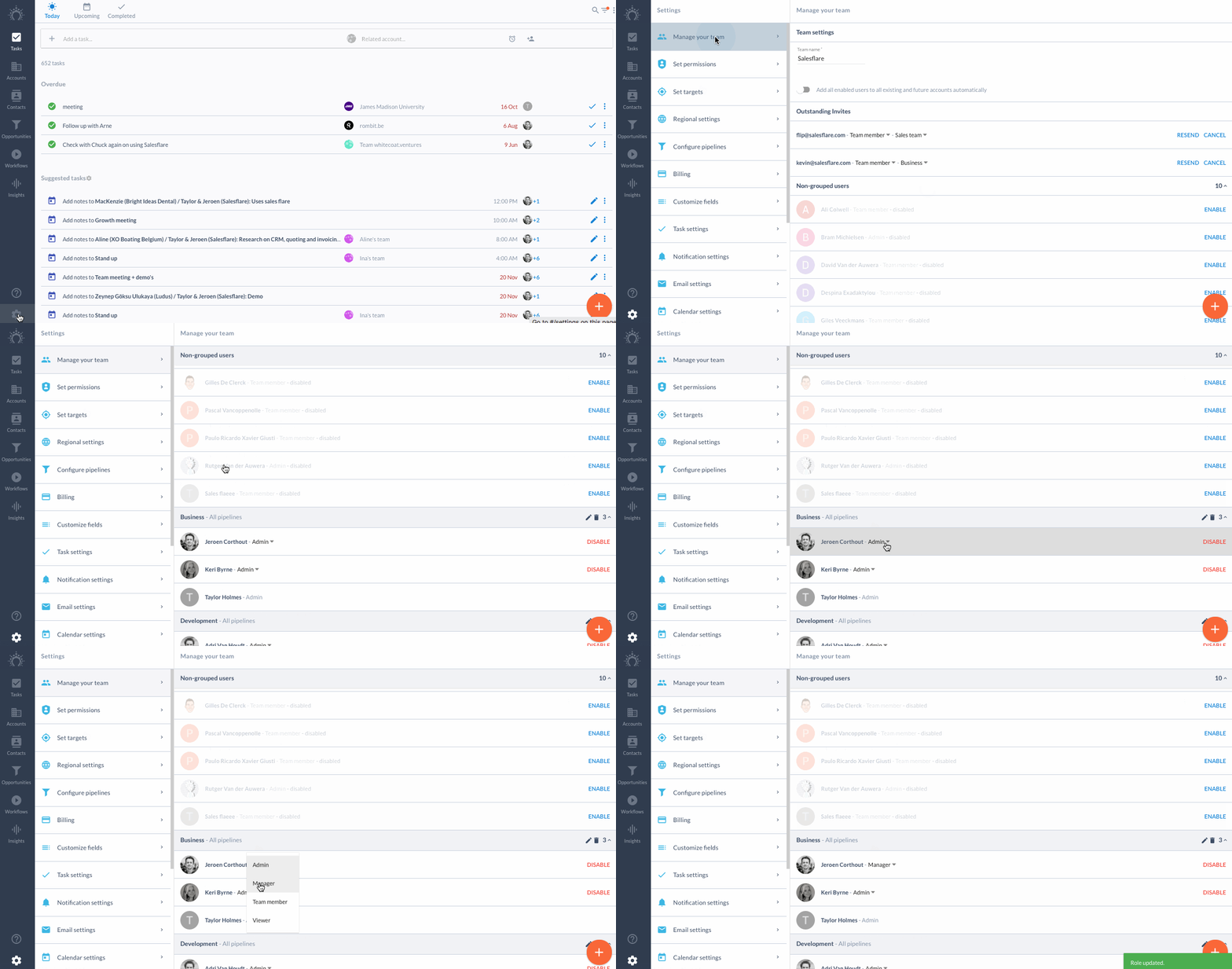
Ask an admin to update your role in [Settings \> Manage your team](https://app.salesflare.com/#/settings/team) by pressing the dropdown arrow to select ‘Manager’.
Learn more about the various roles and permission settings [here](https://app.salesflare.com/#/settings/permissions).